See what you’ll share
Review who’s asking and which checks they need. Approve or decline the request from your Mac.
Give outside collaborators access to the systems they need. Your team sets the device checks for access. Collaborators review the request and decide whether to share the answers.
Watch a collaborator connect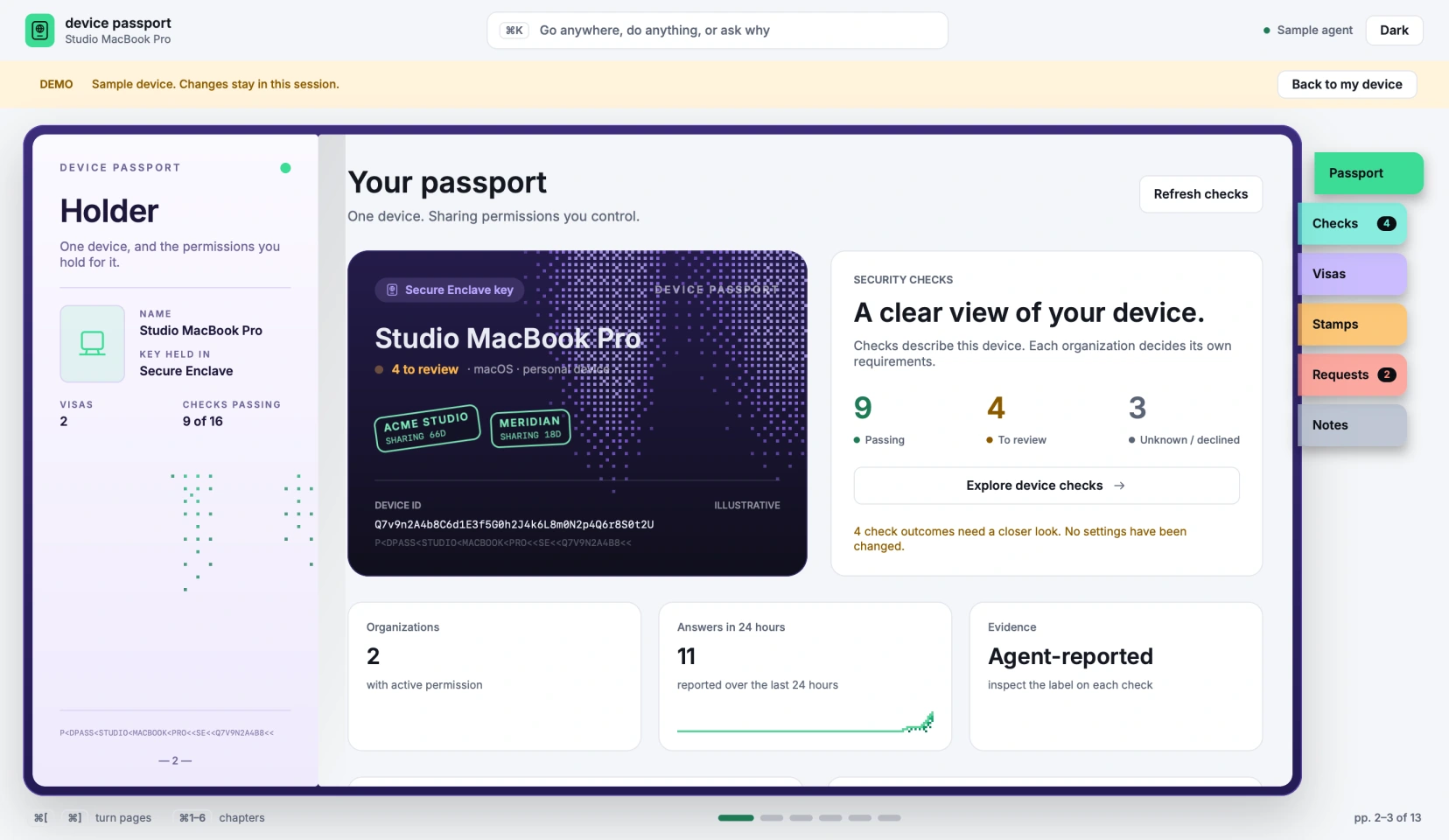
When an engineer joins a project, the team can check whether her device meets its policy before issuing SSH access.
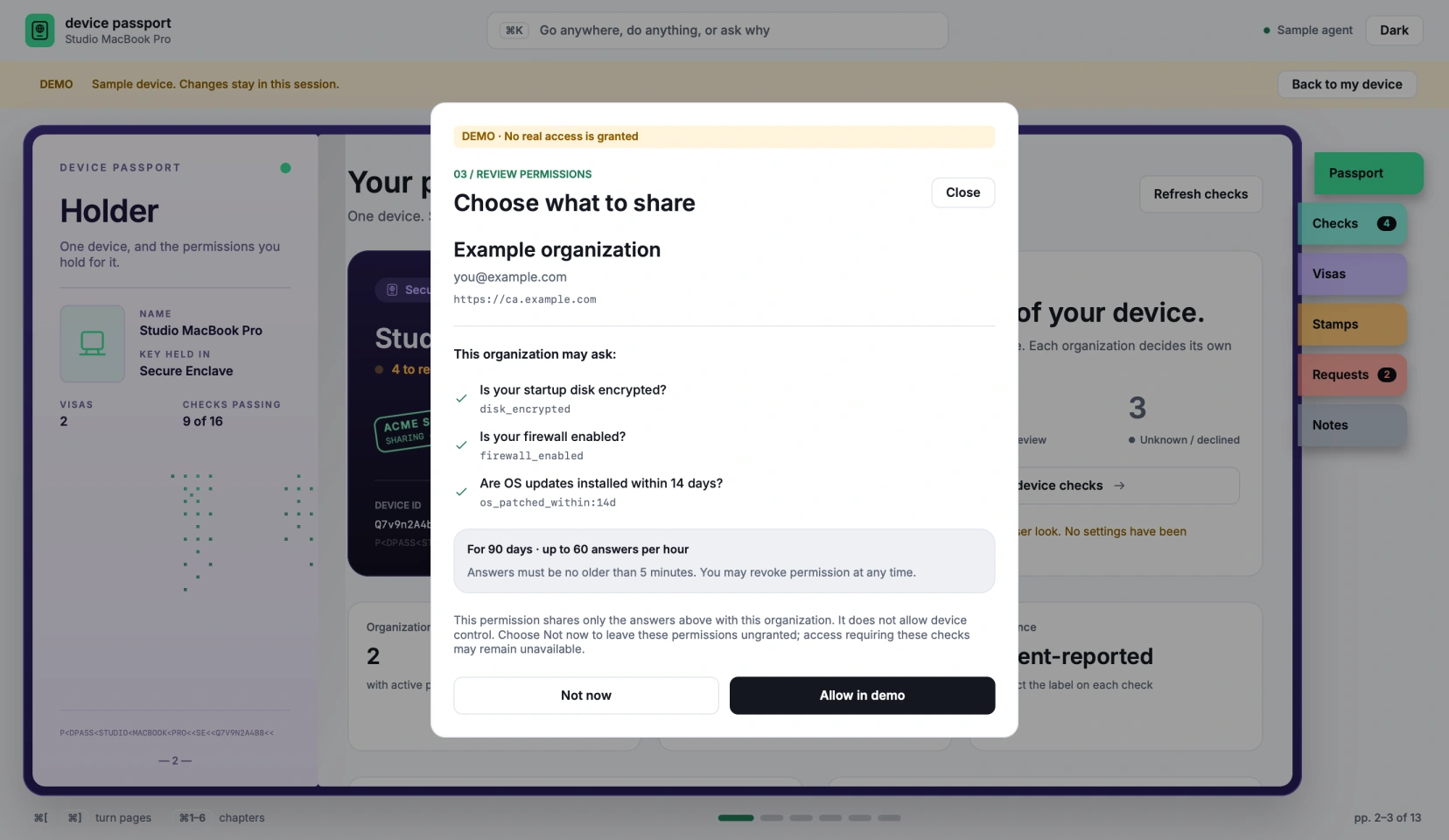
Review who’s asking and which checks they need. Approve or decline the request from your Mac.
Your team chooses which checks must pass for short-lived SSH access.
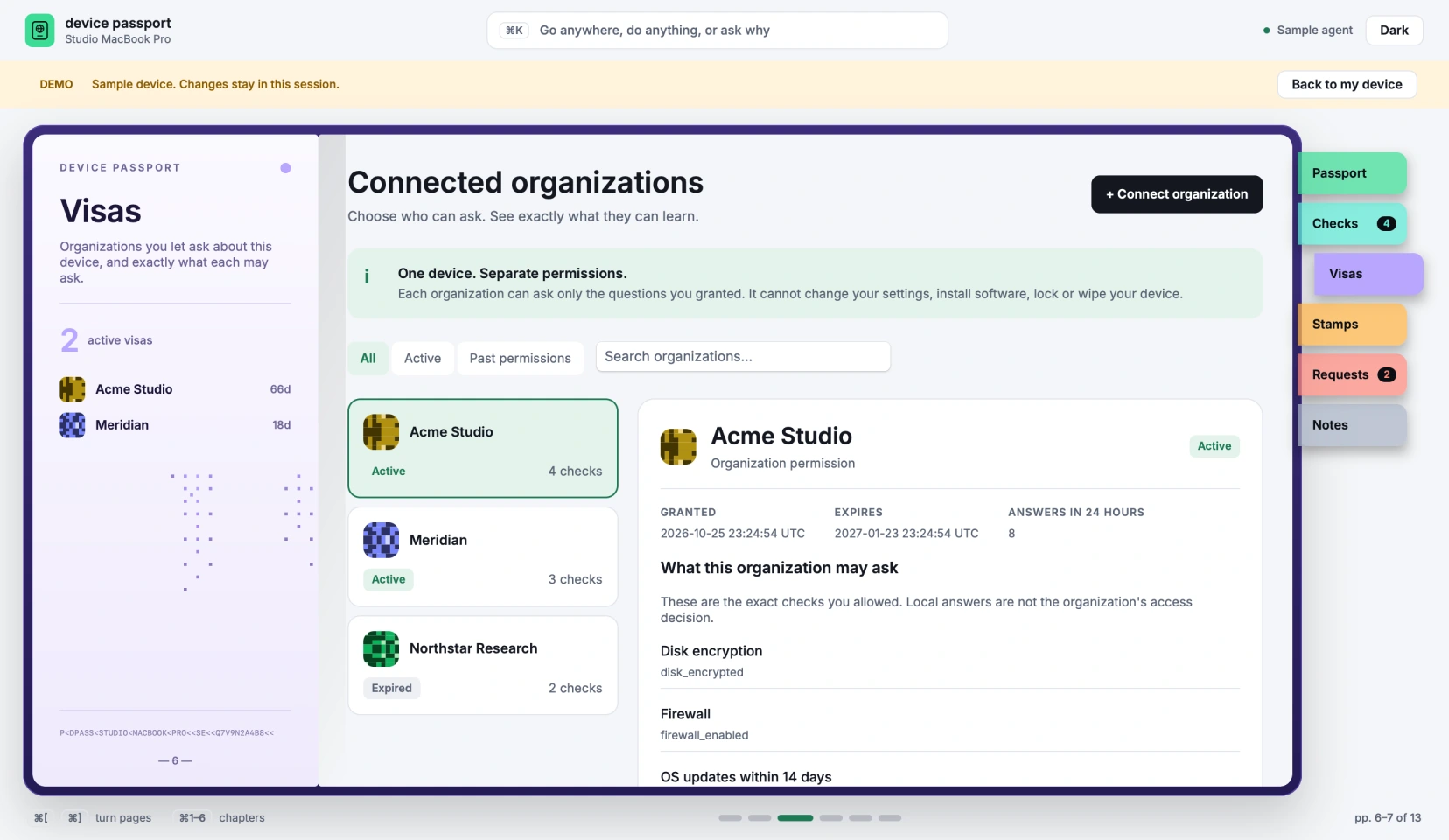
Each team makes its own access decision, and you review each team’s request separately.
Follow an outside engineer from a request on her Mac to an SSH session on the client’s staging server.
The video uses on-screen text and soft instrumental music.
0:00 — Work together. Keep your own device. Access for people who work across organizations. The sample Passport opens as a violet booklet, with chapter ribbons and a device card.
0:05 — An outside engineer needs access to a client’s staging server. The client requires disk encryption, an enabled firewall, and OS patches within 14 days in this example.
0:10 — The sample permission review opens over the booklet and shows the organization and its requested device checks, with options to allow or decline.
0:17 — In an illustrated terminal, the device checks pass and a short-lived SSH certificate opens the staging connection.
0:24 — The sample Visas chapter lists two organizations, each with its own permissions. The engineer can review each team’s request separately from the same Mac.
0:30 — A violet passport cover closes the walkthrough. Device Passport. Work together. Keep your own device.